

For anyone maintaining clean floors in busy spaces, a scrubber machine is essential. Yet even the best machines—driverless, walk-behind, or electric—can develop problems. This article covers the most common scrubber issues, their causes, and how to fix them promptly. Whether you’re new or experienced, keep reading to learn how to keep your scrubber running properly.
Why Is My Floor Scrubber Leaving Streaks?
Streaks cause headaches. They can make your flooring appear dirty even after you just mopped. It usually comes down to one of three culprits.
The most common culprits are dirty or worn brushes/pads. If your scrub brush seems unclean or your pad appears worn out, be sure to either replace or clean them completely.
Using the wrong kind of cleaning agent (not enough or in excess) could lead to residuals on the items being washed. Always make sure that you are using the cleaning solution that your washing machine’s instructions recommend.
If you experience issues with your squeegee, such as cracks or misaligned blades, it may not be able to pick up water properly, resulting in streaks. Check your squeegee and fix or change it as needed.
Weak Suction: Causes and Quick Fixes
Excellent suction is the key distinction between the floor being clean and dry or wet and soapy. If it seems that the heavy-duty floor scrubber is not very powerful:
Look for blocked hoses or filters. They may collect dirt and prevent strong suction. Clean from time to time.
Empty the recovery tank—once it’s too full, your scrubber will struggle to pick up water.
In case the vacuum cleaner does not work, the first thing to do would be to check for any noises. If the vacuum motor is faulty, it is usually worn out and needs to be replaced.
Brush Not Spinning? Here’s What to Try
Once the brush comes to a halt, it means the scrubber has failed. First things first—check out the control settings to ensure that your brushing tool has been activated. You also need to check the brush itself to see if any hair, string, or dirt has wrapped around it and remove these objects to return the machine to normal working state.
If the brush is still not spinning, check the belts or gears. They wear down over time, particularly if you use your machine daily. Changing a belt is less expensive than purchasing a new scrubber, so stock some spare parts.
Battery Draining Too Fast: Easy Diagnosis
It’s exasperating when you use electric and battery-operated floor scrubbers and your battery drains quickly. You should know what to look for in such cases.
Batteries have started losing their ability to charge. If you have had yours for a few years it might be time to think about buying new ones.
A dirty terminal may cause a loss of current. Clean the connectors and tighten them for better performance.
It is important to keep in mind charging habits. Those who charge correctly using the right charger, and refrain from overcharging will see a huge difference.
Maintenance Tips for Trouble-Free Floor Scrubbing
Most floor scrubber problems are preventable. Build these habits into your routine:
Remove debris from tanks and hoses, clean brushes and mop heads, and look for worn-out squeegees after each work shift. Perform checks on motor belts and connections every month. In case you are using a robotic scrubber, schedule updates for the software and ensure batteries are stored in a dry environment.
Having spare parts such as brushes, pads, belts and squeegees on hand will make it easier for you to do quick repairs whenever necessary.
FAQ: Quick Answers to Common Problems
Why does my scrubber still leave water on the floor after cleaning?
Most likely the squeegee is damaged or out of alignment, or the recovery tank is full. Check the blade condition and empty the tank, then test again.
The brush has stopped rotating—what should I check first?
Confirm the brush function is switched on, then remove any hair or debris tangled around it. If it still won’t spin, inspect the belt or gear for wear.
My battery drains much faster than before. What are the common causes?
Aging batteries, dirty or loose terminals, and improper charging habits are the usual reasons. Clean and tighten the connectors, and use the correct charger without overcharging.
How can I reduce scrubber breakdowns in daily operation?
Clean tanks, hoses, brushes, and squeegees after each shift; check belts and connections monthly; and keep spare brushes, pads, belts, and squeegees on hand for quick replacement.
What to Look for When Buying a New Floor Scrubber
If frequent repairs have you thinking about a new machine, here’s what matters:
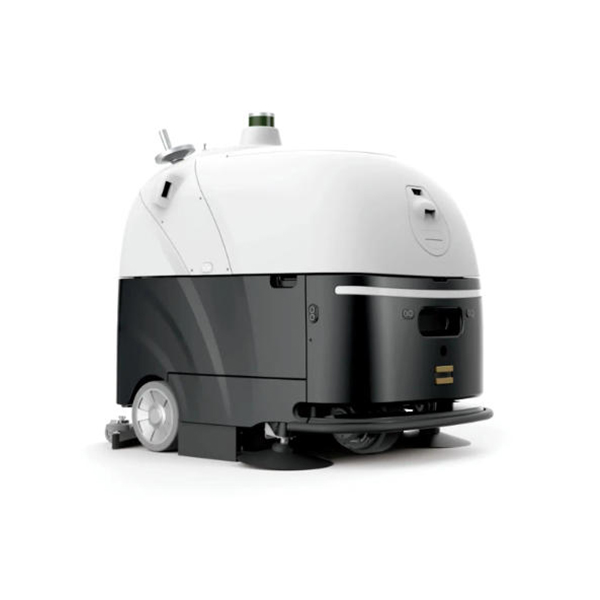
Choose a model with easy access to the tank, pads, and brushes. A larger tank reduces refill frequency, and battery-powered options give you more flexibility. For bigger areas or automated office cleaning, a driverless scrubber works—just make sure its software can be updated and sensors calibrated. Most importantly, pick well-known brands with strong technical support and easy access to spare parts.
Caring for your scrubber is easier when you know the signs of trouble and the repairs needed. Keep brushes clean, filters working, and monitor batteries and the squeegee. Basic maintenance and quick parts replacement solve most problems. When in doubt, check the manual or contact customer service. Proper care ensures great results and saves time.
Post time: Oct-23-2026